
Everything your taxi firm runs on
Dispatch, driver app, customers, phone and the back office, in one system that shares the same rules everywhere.
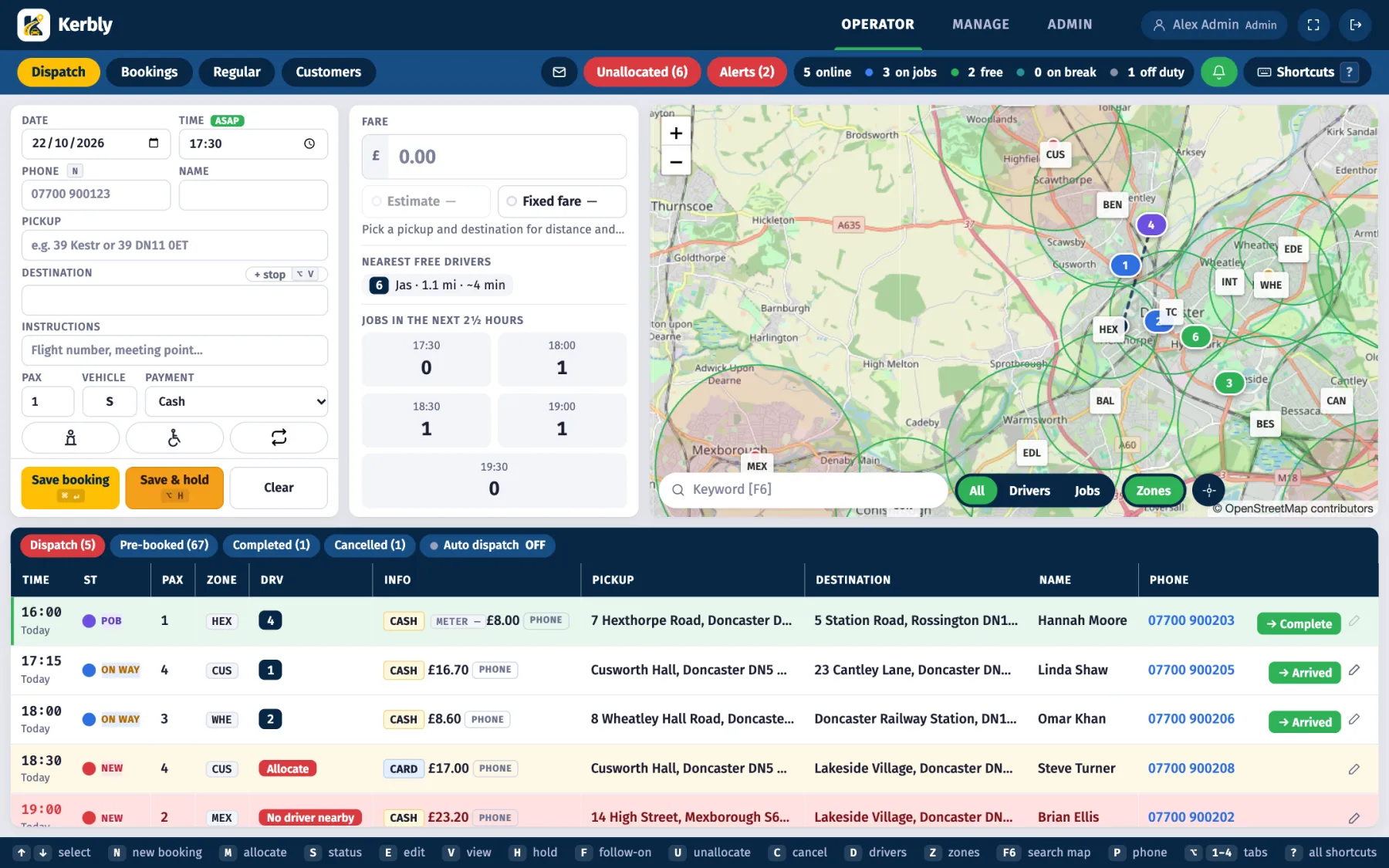
A dispatch screen made for speed
One screen, no page scroll: booking form, fare and nearest drivers, live map and the job table together.
Keyboard-driven allocation
Move through jobs with the arrow keys, press M, type a callsign and press Enter. One key advances a job's status, one cancels, one edits. A shortcut bar along the bottom shows the keys, and ? lists them all.
- Quick booking form with address search and automatic fare
- Sound alerts for new jobs, jobs nobody can reach and overdue jobs
- Unallocated count in the browser tab title
Live map
Drivers, jobs and zones on one map, with drivers shown free, on a job, on a break or off duty.
Auto dispatch
Send a job to the nearest suitable free driver, or switch on Auto mode so jobs due soon go out by themselves. Jobs nobody can reach turn red.
Follow-on jobs
A driver finishing near the next pickup can be given that job in advance, by hand or automatically.
Pre-booked and hold
Pre-booked jobs sit in their own tab. Hold a booking until you are ready to send it out.
Busy-time warnings
See when a time slot is filling up before you promise a pickup you cannot cover.
Repeat and return trips
Regular bookings such as Monday to Friday school or work runs, with an optional return leg, plus one-off return journeys.
A driver app on iPhone and Android
Your drivers get a branded app from the App Store and Google Play, or install the web app straight from a link.
From offer to completed job
Jobs arrive with a sound and vibration. The driver accepts or declines, then taps through on the way, arrived, passenger on board and complete. Pickup, drop-off, notes and what to collect are all on screen.
- Built-in taxi meter using GPS distance and waiting time
- Navigation with spoken directions and the meter shown on the map
- Messages with the office and in-app calling
- Emergency SOS that alerts the office
- Earnings and a week view
- Face ID sign-in and push notifications
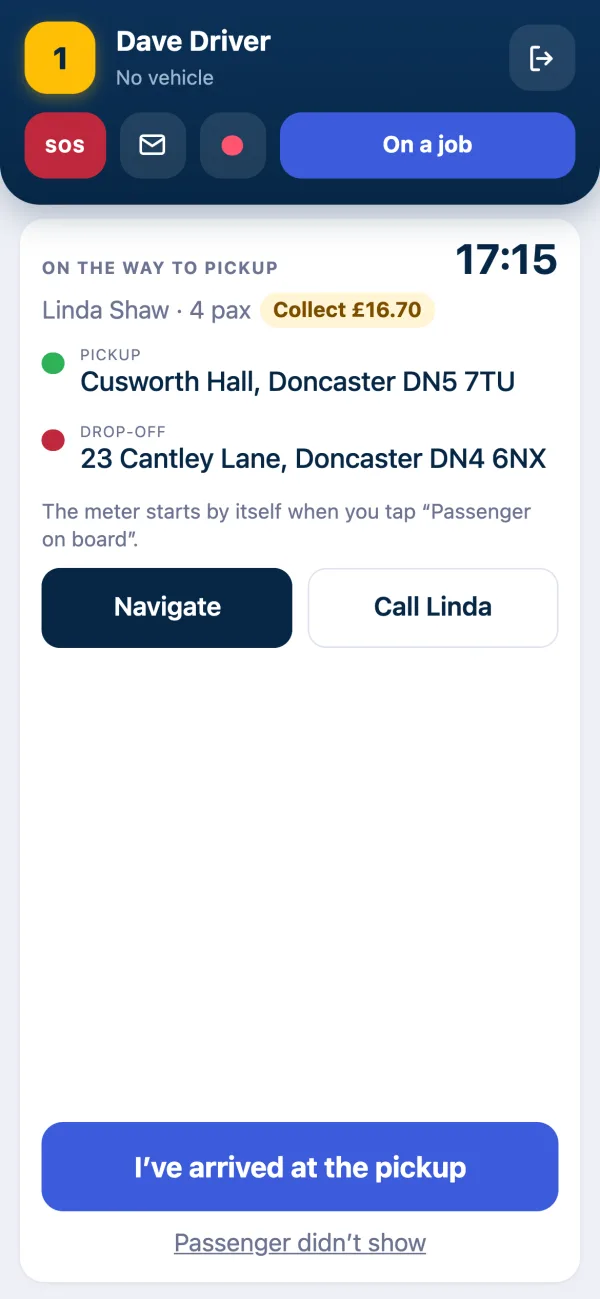
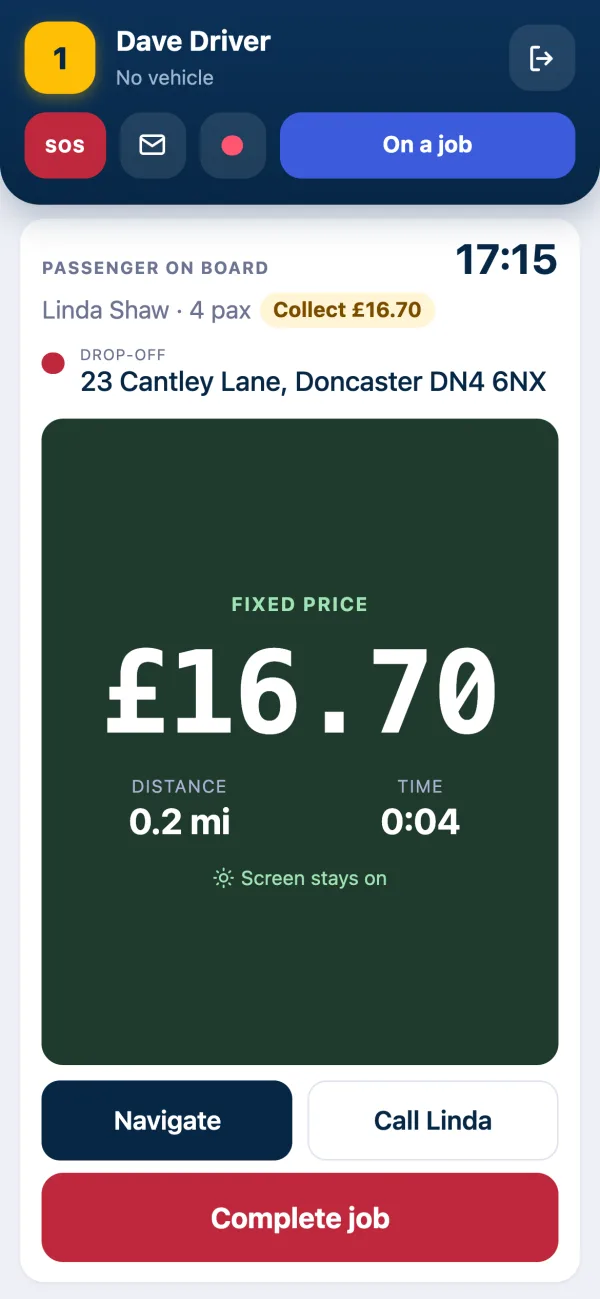
Meter
Distance and waiting time counted for you, with fixed prices honoured.
Navigation
Turn-by-turn with spoken directions, inside the app.
SOS
One tap tells the dispatch screen a driver needs help.
Face ID
Quick sign-in on iPhone without typing a password.
Make it easy to book and easy to wait
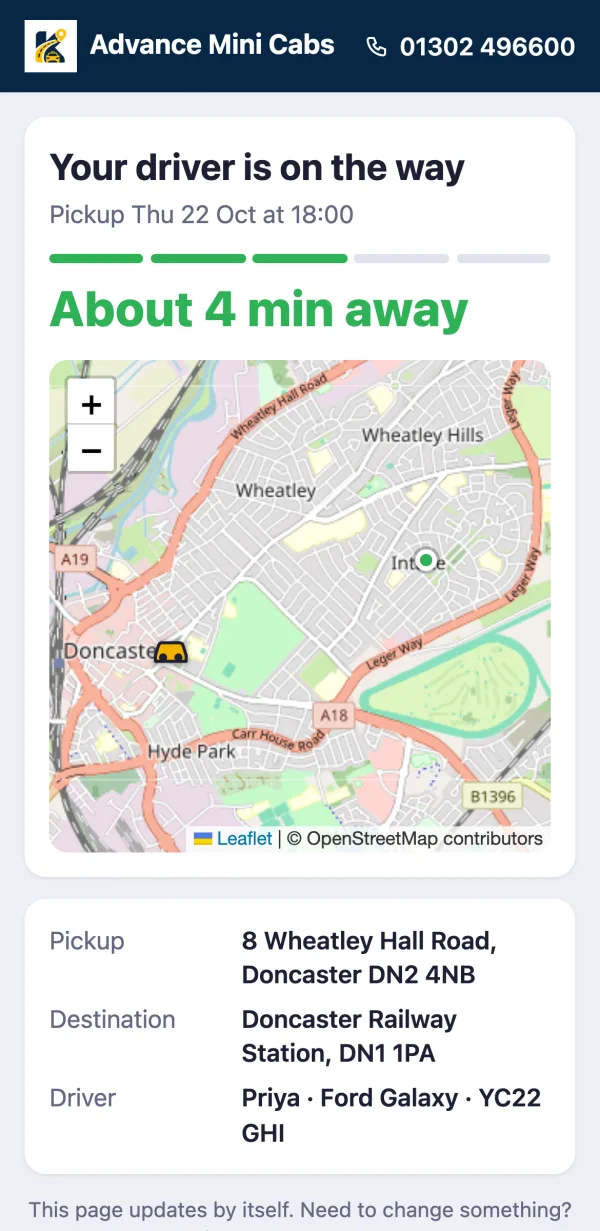
Live tracking link
Send customers a link and they see the driver approaching on a map with a live estimate, then rate the trip afterwards. Nothing to install.
- Embeddable booking form for your own website
- Return journeys on the form
- A "we are busy, please phone" guard when you cannot take more work
- Booking confirmation and receipt emails
- Customer star ratings
Answer calls and message customers from Kerbly
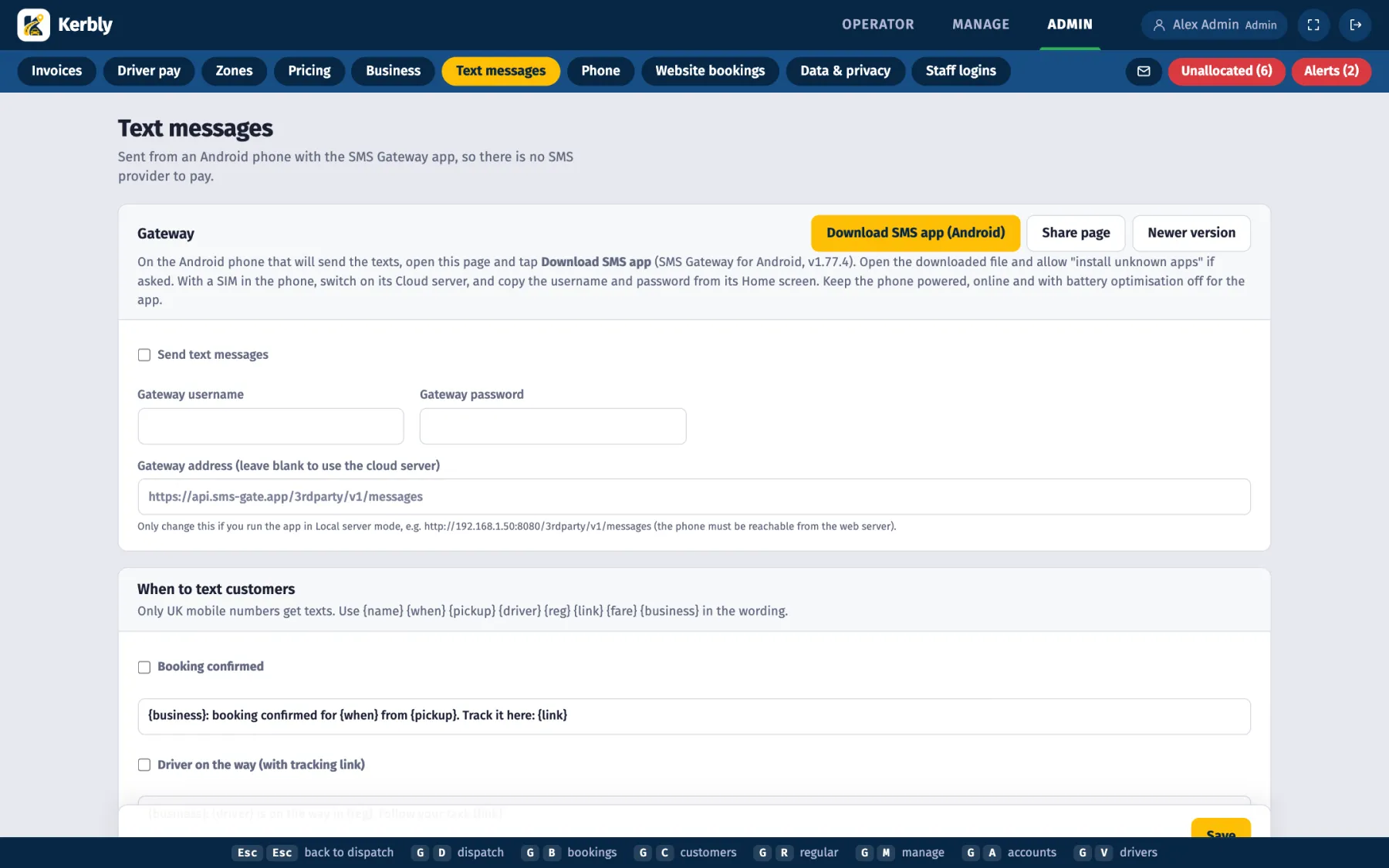
Texts without SMS fees
Kerbly sends booking confirmations, "driver on the way", "arrived" and "completed" texts from your own Android phone, so there is no SMS provider to pay or set up.
Softphone in the dispatch screen
Take calls in the browser over SIP. The caller's details and recent addresses appear as the call comes in, you can click a number to call, and calls can be recorded. A welcome message greets callers.
- Caller lookup with recent addresses
- Click to call from any phone number
- Call recording and a welcome message
Prices, accounts, pay and paperwork
The office side of the business runs from the same data as dispatch, so nothing is typed twice.
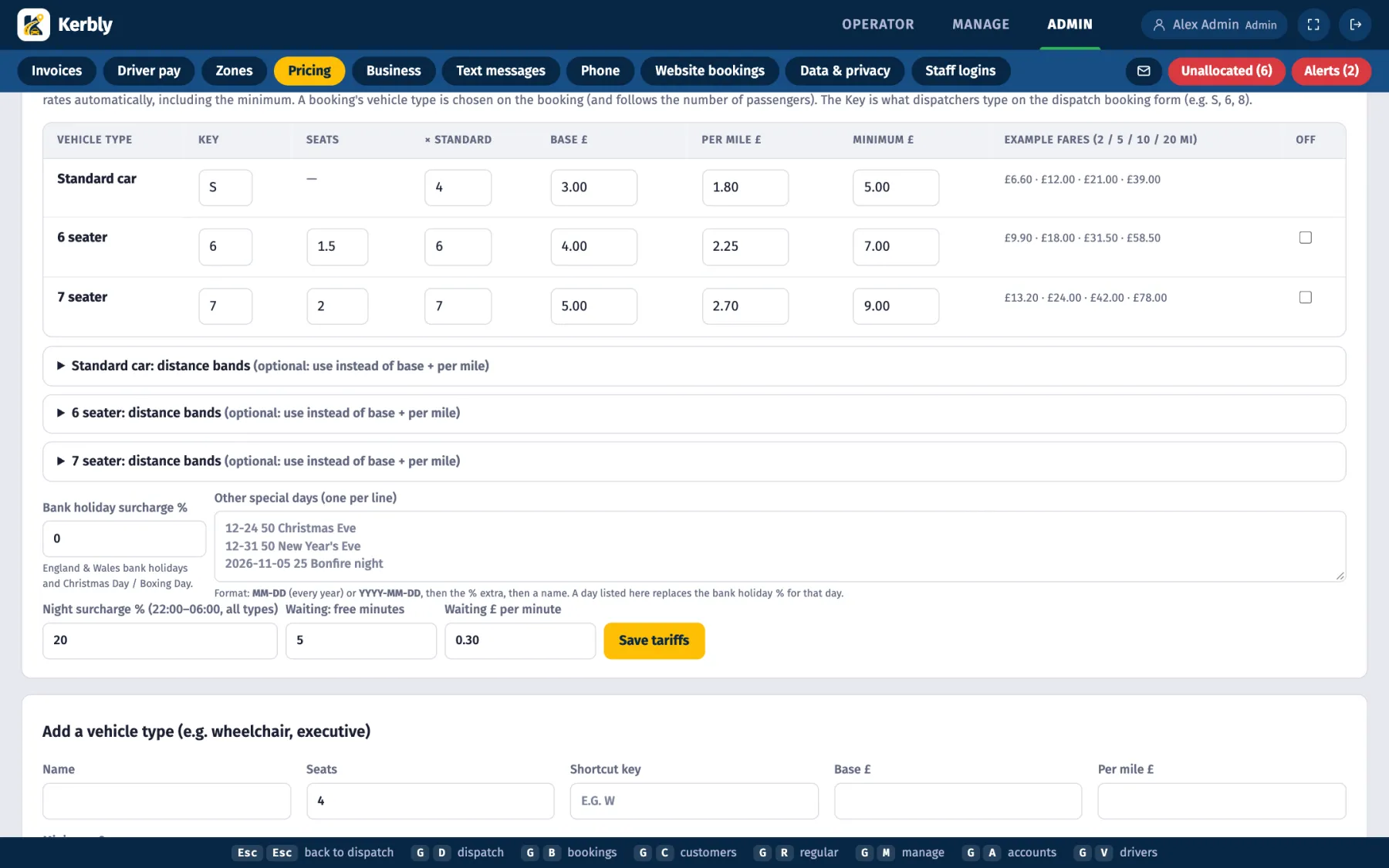
Tariffs and fares
Tiered tariffs, bank holiday surcharges and fixed fares between places. Priority is clear: an account's agreed fare first, then a fixed fare, then the metered estimate. Vehicle types can be priced as a multiple of your standard fare.
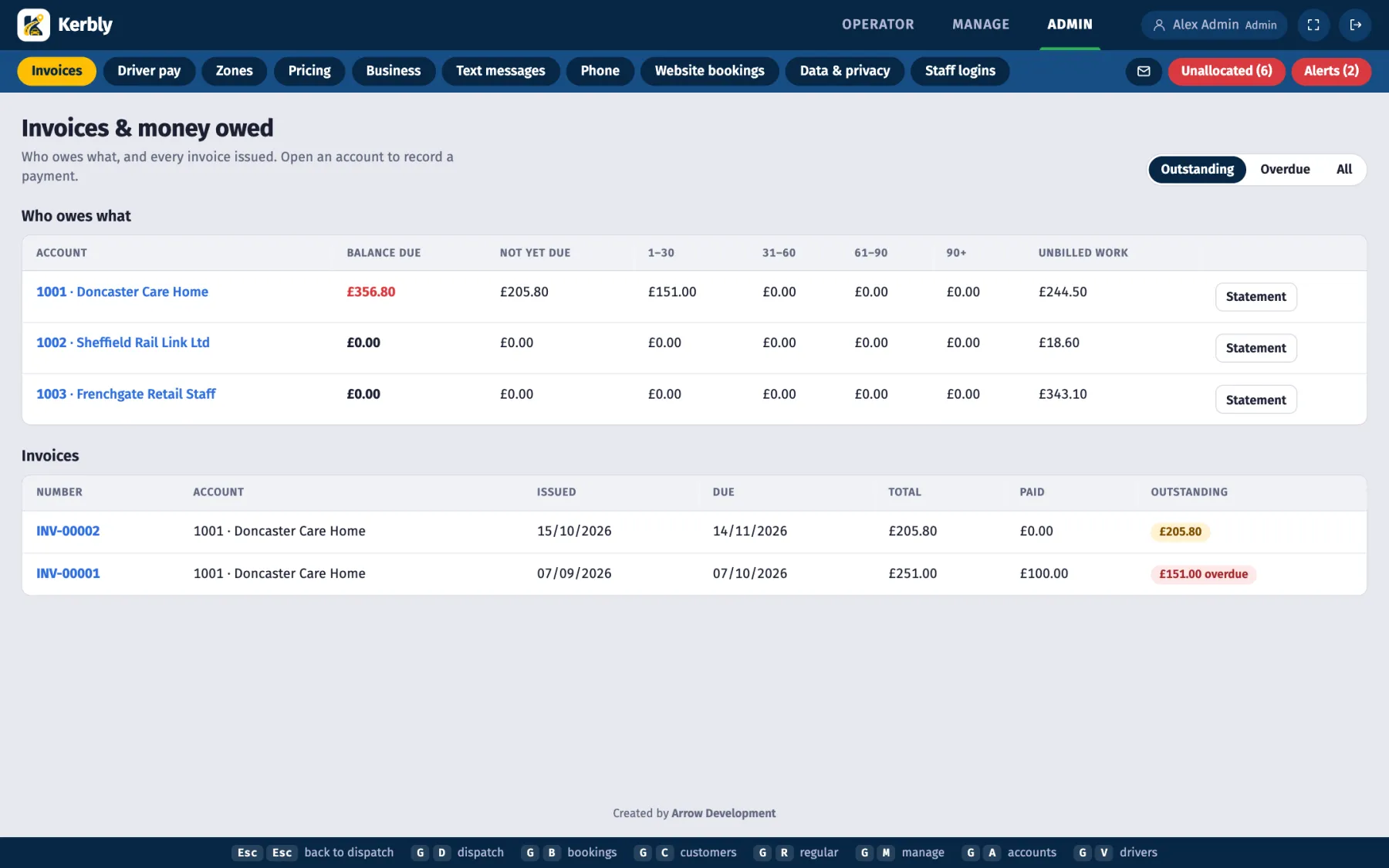
Account customers and invoicing
Run accounts for businesses, care homes and schools. Invoices, payments received (applied to the oldest invoice first), balances, ageing and statements you can print or download.
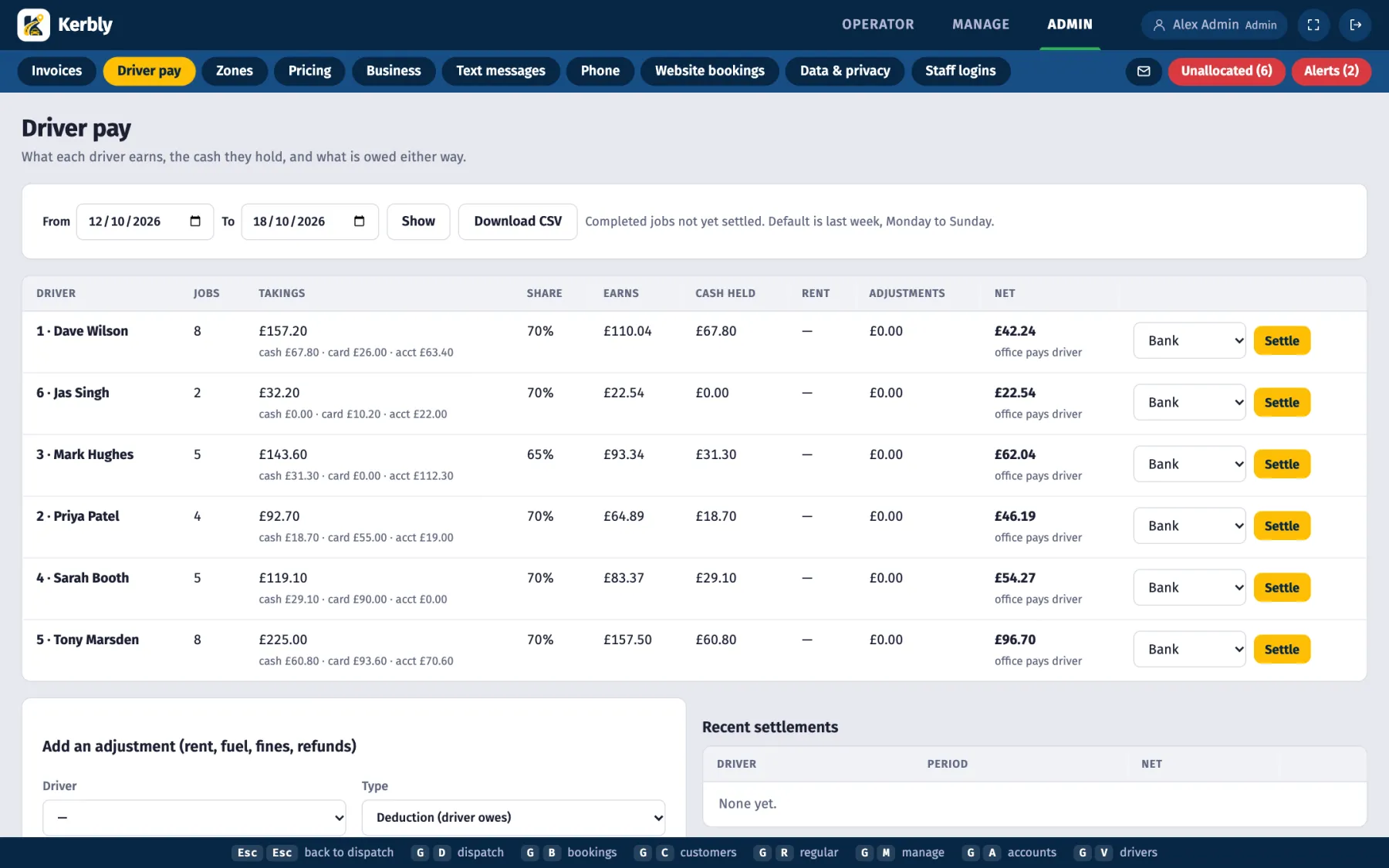
Driver pay
Work out each driver's earnings from the jobs they did, on a percentage or a flat weekly rent, with adjustments, then settle the week.
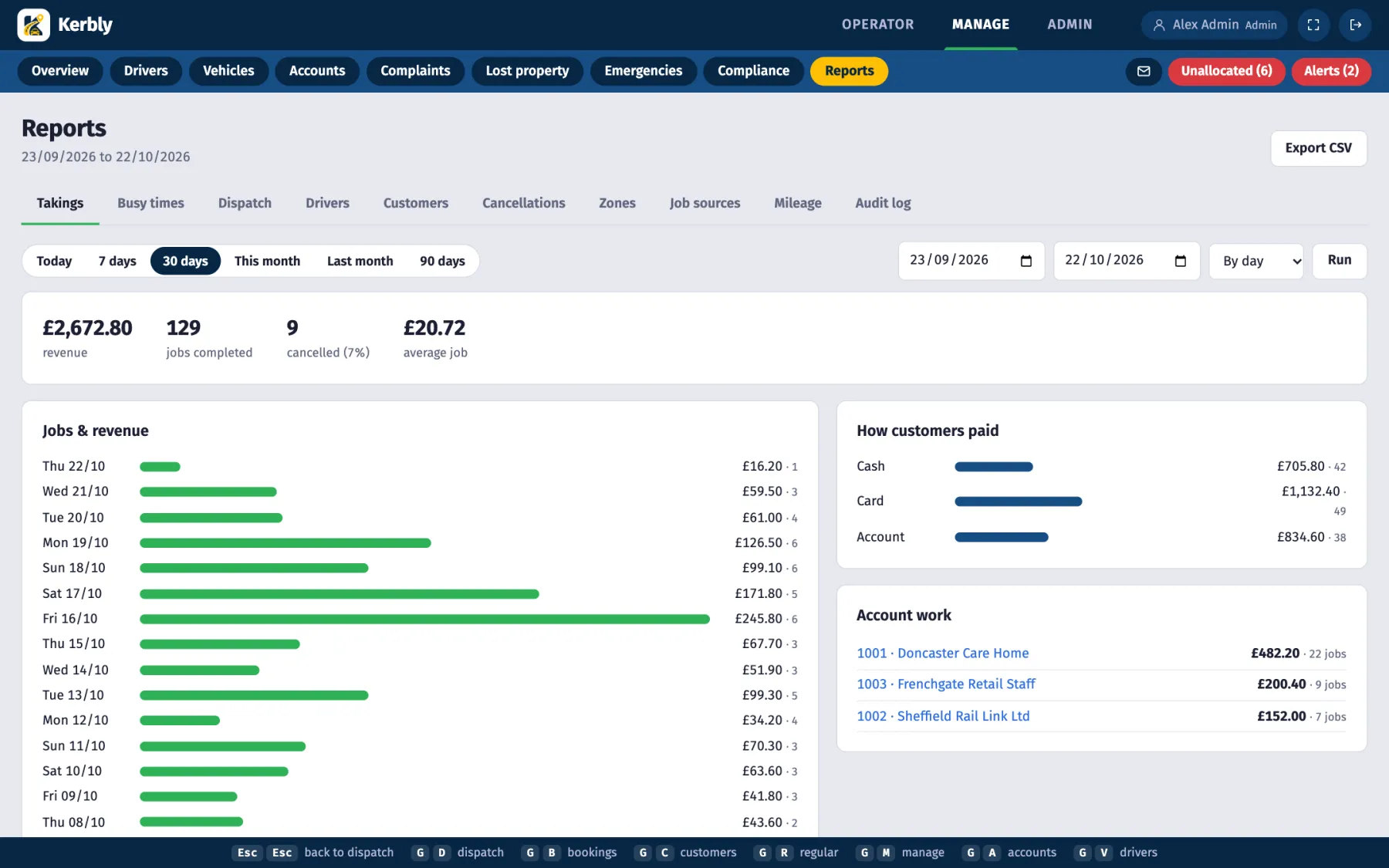
Reports
Takings, busy times, job sources and driver performance, with CSV export. Replay a job's or a driver's GPS trail to settle a dispute or see how a shift went.
Driver compliance
Track licence, MOT and insurance expiry dates so nothing lapses unnoticed.
Complaints and lost property
Log them against the booking and keep a record you can find later.
Privacy pack
A GDPR privacy notice, customer data export and erasure, retention settings and a privacy log.
GPS trail replay
Watch a trip or a driver's day played back on the map.
Data import
Bring your customers and job history across from TaxiCaller.
Roles
Admin, dispatcher and driver access, so staff only see what they need.
Your name on everything
Each firm gets its own branded driver apps and its own domain, so drivers and customers see your company, not ours.
- Your own driver app in the App Store and Google Play
- Your own web address for the office and the customer pages
- A licence system so each firm's system is managed separately
Want to see it in action?
We will show you Kerbly with your own scenarios.